
Advanced settings
Advanced settings on the Site step opens four optional fields. The defaults suit most sites. Two of the four, the data jurisdiction and the primary user region, cannot be changed after the site is created, so read those before you select Create site.
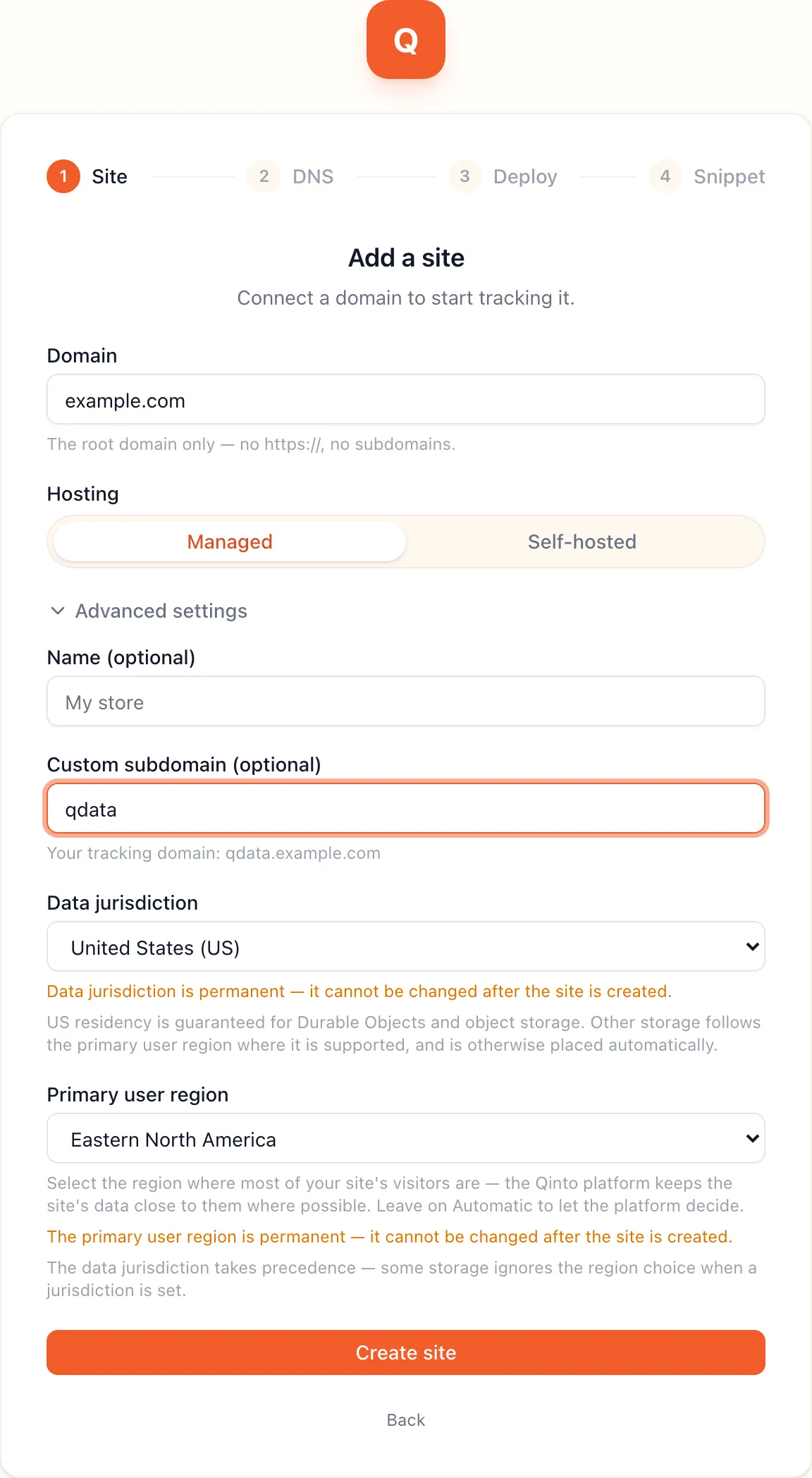
A display name for the site in the platform, such as My store. Leave it blank and the platform uses the root
domain. You can rename the site later under Settings → General.
Custom subdomain
Section titled “Custom subdomain”The label of the first party hostname. With qdata on example.com the hostname is qdata.example.com. Leave it
blank for six random lowercase letters.
A label is at most 15 characters of lowercase letters, digits and hyphens, with no hyphen at either end. The
platform lowercases what you type. A few labels are reserved because they usually carry other records on a
domain, and the form rejects them: www, api, mail, email, smtp, ftp, ns1, ns2, admin, app,
portal, dashboard, cdn, static, assets, dev, staging and test.
Pick a label that nothing else on your domain uses, because the DNS step asks you to add a CNAME with this name. The label is fixed once the site exists.
Data jurisdiction
Section titled “Data jurisdiction”Where the site’s visitor data is stored.
| Option | What it does |
|---|---|
| Global (default) | Cloudflare places storage near where it is used. |
| European Union (EU) | The site’s storage stays inside the EU. |
| United States (US) | The site’s storage stays inside the US. |
Durable Objects hold the visitor and person records of the ID graph, so the graph itself always stays inside the jurisdiction. The R2 buckets, D1 databases, KV namespaces, workflows and queues an installed app declares also stay inside it, with two limits. A bucket the app opens to Cloudflare’s data catalog is created without a jurisdiction, because the catalog does not support pinned buckets. KV stores its data inside the jurisdiction, but Cloudflare can cache KV reads outside it. Everything else an app declares follows the primary user region where Cloudflare supports it, and is otherwise placed automatically.
Cloudflare pins a jurisdiction when it creates the storage, so this field is permanent. To move a site, create a new one.
Primary user region
Section titled “Primary user region”The part of the world most of your visitors are in. The platform passes it to Cloudflare as a placement hint, so a site’s Durable Objects start near those visitors instead of near the first request that reached them.
The options are Western North America, Eastern North America, Western Europe, Eastern Europe, Asia-Pacific and Oceania. Automatic lets Cloudflare decide from traffic.
A hint is not a guarantee. Cloudflare may place an object elsewhere when the region is at capacity, and when a data jurisdiction is set the jurisdiction wins over the region. Like the jurisdiction, the region is fixed once the site exists.